Flip Book Printing – Guide
Flip Book Printing is the process of producing bound booklets of 15–60 sequential frames that animate when riffled, requiring a minimum of 24 frames per second for fluid motion. Specialized workshops print on 250–350gsm card stock to keep pages turning cleanly and resist bending. Per-unit costs drop sharply above 500 copies, and artwork should be uploaded at 300 DPI to prevent blurred animation. Full-color printing, embossing, and gift-ready packaging are also commonly available.
If you ended up searching “Flip Impresión de libros,” you probably want to understand how these little animated booklets actually get made, what they generally cost, and how to order one that flips smoothly the way it should. LeadWorks put this guide together to clear all of that up.
Here is what we walk through. How does flip book printing actually work, and how many frames do you really need? What paper stock and binding method keep the pages turning cleanly? How much does a custom run cost once you start changing the quantities? And how should you prepare your artwork files so that nothing blurs while the animation plays out? Keep reading, because we get into the specifics below.
Quick Takeaways
- Flip books require minimum 24 frames per second for smooth animation.
- Choose 250–350gsm card stock so pages flip cleanly without bending.
- Order above 500 copies to sharply reduce per-unit printing costs.
- Upload artwork at 300 DPI to prevent blurred animation frames.
- Keep page counts between 15–60 frames, bound on one edge.
What Is Flip Book Printing and How Does It Differ From Digital Flipbook Software?
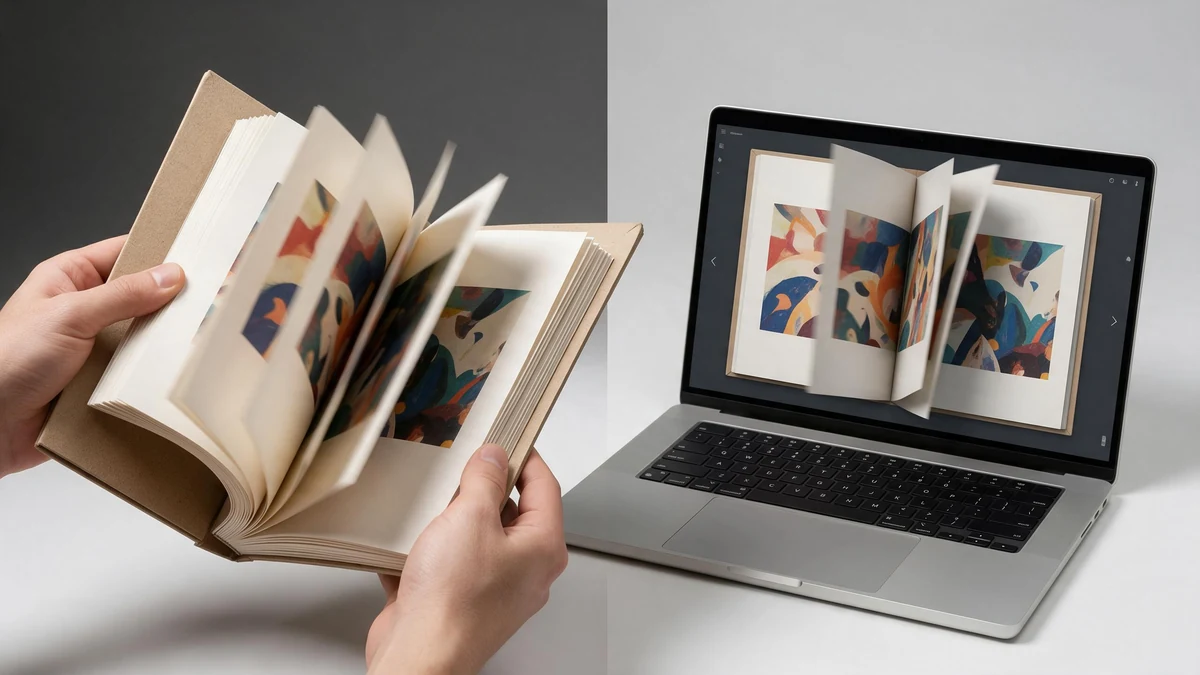
One ships in a box (printed paper), the other in a URL (HTML5 web viewer built from a PDF).
Flip Book Printing is essentially making a small paper booklet whose pages show a sequence of images that come to life when you riffle the edges with your thumb. It’s a physical thing made of actual paper and binding, not a piece of software. Digital flipbook software, on the other hand, takes a PDF and turns it into a page-turning viewer that lives inside a web browser. Search engines keep lumping these two very different things together, and that confusion ends up costing people money.
Say you want a printed thumb-flip animation but you land on a software tool instead. You’ll waste time uploading a PDF that only gets a page-curl effect on the screen. The opposite situation is actually worse. If you order a paper print run when all you really needed was a shareable link, you’re paying for binding you’ll never actually use.
How can you tell in 5 seconds which page you actually need?
Here’s the rule you can use. If you plan to hold and flip paper, think a photo booth souvenir, a wedding favor, or a direct-mail piece, then you need flip book printing. If you want to email a link that opens a page-turning catalog online, then you need digital flipbook software. One of them ships to you in a box, and the other ships in a URL.
- Physical flip book printing: a real paper booklet with that thumb-riffle animation, delivered to you as a tangible object you can hold. Most custom paper jobs are finished in 3–5 business days after proof approval (Marsid-M&M Group, 2026).
- Digital flipbook software: an HTML5 web viewer that gets built from a PDF. You can later download and print selected pages (FlippingBook, 2026), though the default result stays right there on a screen.
This guide is about the printed product. LeadWorks, being an integrated printing manufacturer of books and packaging, handles flip books the same way it handles short-run book production, keeping control of paper weight, binding, and finishing in-house. If you want a quick refresher on the animation idea itself, you can look over the basics of a flip book on Wikipedia.
Physical vs Digital Flipbook — Which One Do You Actually Need?
Choose physical flip book printing when the booklet itself is the gift, the keepsake, or the in-person sales prop; choose digital flipbook software when you need instant global sharing, embedded analytics, or zero shipping cost. Printed jobs typically ship in 3,5 business days after proof approval, while a digital version goes live the moment you publish. The decision turns on four factors: use case, cost structure, shelf life, and shareability.
| Factor | Physical Flipbook | Digital Flipbook |
|---|---|---|
| Best use case | Wedding photo booth, marketing giveaway, sales pitch book | Embedded PDF catalog, email blast, product page |
| Cost structure | Per-unit print cost + binding + shipping | Monthly software fee, no per-view charge |
| Shelf life | Years as a physical keepsake | Live until the subscription lapses |
| Shareability | Hand-to-hand, limited by run size | One link reaches unlimited viewers |
A physical flipbook that flips 24 photo frames into a 2-second animation is impossible to replicate on a screen scroll. That tactile payoff is why event and direct-mail buyers pick print. If you want a tangible object people keep, choose physical; if you want reach and tracking, choose digital software.
LeadWorks builds the printed side: full-color booklets with special processes like edge printing, controlled in-house. For a short run under 500 units where paper feel drives the impression, printing wins. For a 10,000-recipient catalog, digital wins on cost per view every time.
How Can I Print a Flipbook? A Step-by-Step Production Walkthrough
Printing a flipbook takes seven stages: source your frames, sequence the pages, set bleed and margins, pick a binding, run a proof, approve, and print. Most custom jobs ship in 3,5 business days after proof approval, so your art prep decides the real timeline, not the press.
How Do You Prepare Frames and Sequence the Pages?
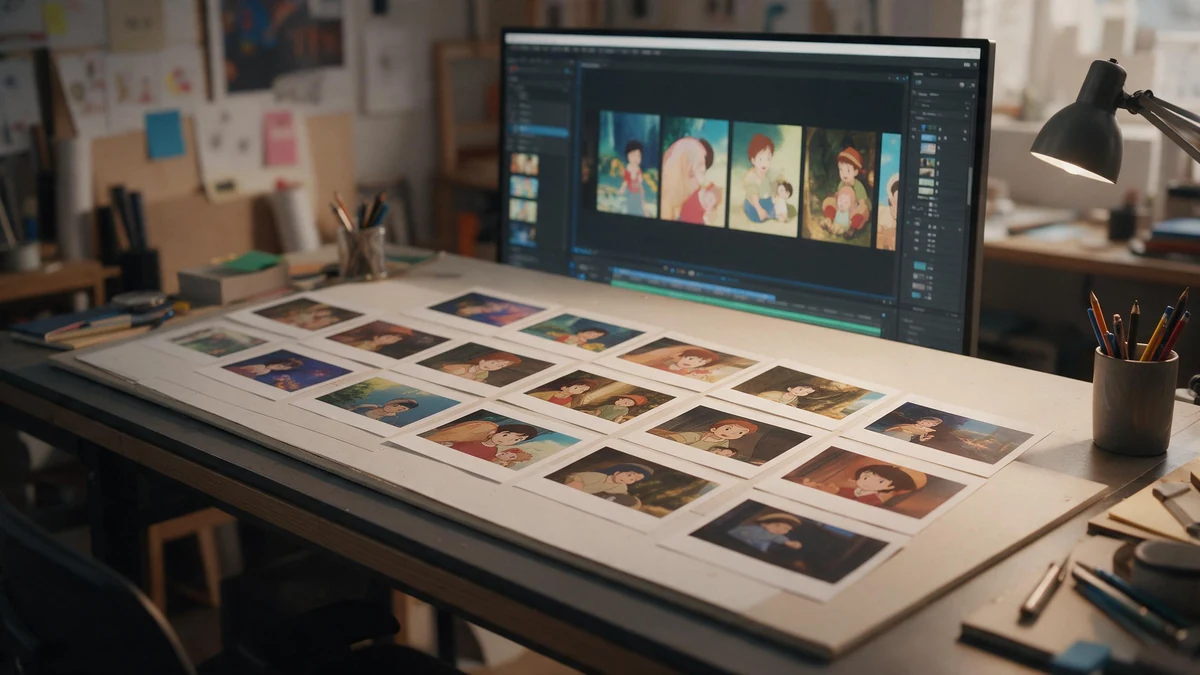
Export one still per frame and sequence them so the flip reads as motion, not a slideshow.
Start with your source footage. If you shoot video, export one still per frame, a 2-second clip at 12 fps gives you 24 pages. Sequence them in order so the flip reads like motion, not a slideshow. Rename files numerically (001, 002, 003) so pages never land out of order at imposition.
What File Settings Stop Reprints?
Set files to CMYK, not RGB, or your colors will shift on press. Industry pre-press standards call for a high-resolution PDF at 300 DPI with 3 mm (0.125 in) bleed whenever artwork touches the edge. Bleed means extending your image past the trim line, so a slight cut error won’t leave a white sliver.
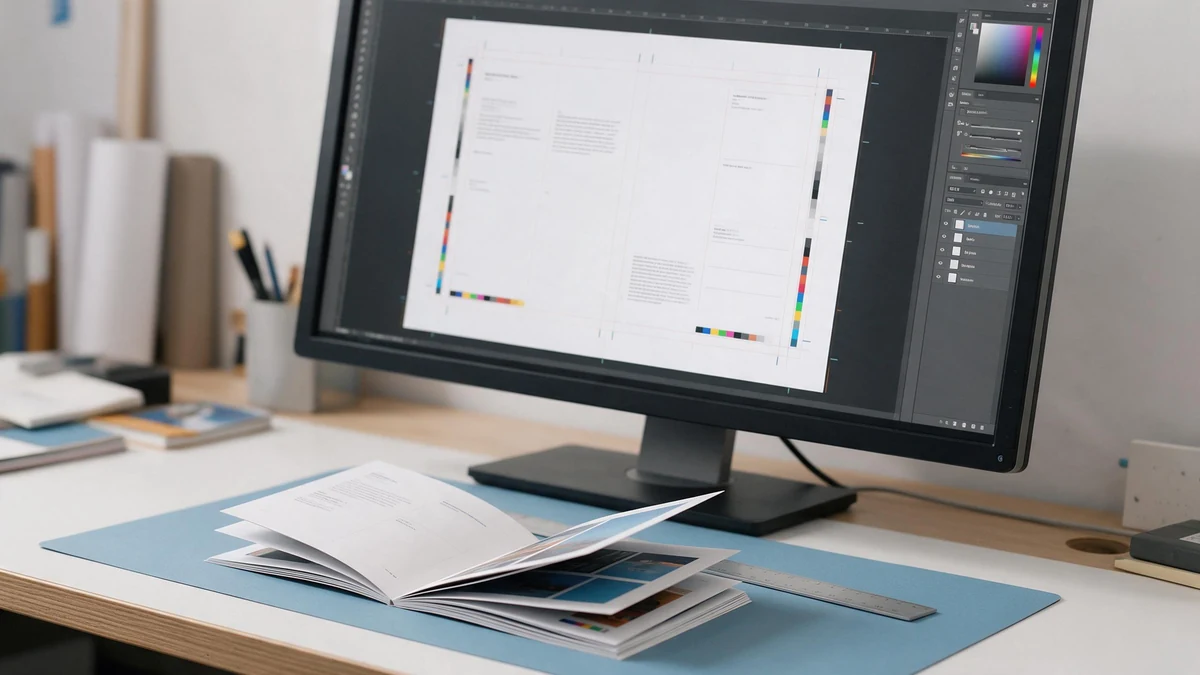
Convert to CMYK, 300 DPI, 3 mm bleed, and keep text 5 mm inside the trim — proof before the full run.
LeadWorks runs a pre-press checklist that catches the five errors behind most reprints:
- Color mode: files converted to CMYK, no stray RGB images
- Resolution: every image at 300 DPI or higher at final size
- Bleed: 3 mm added on edge-bleeding art
- Safe margin: text pulled 5 mm inside the trim so binding doesn’t eat it
- Page count: divisible by the binding signature so no blank pages sneak in
Approve a physical or PDF proof before the full run. Skip this and a misnumbered page becomes a thousand misnumbered copies.
How Do Frame Rate, Page Count, and Image Prep Create Smooth Flip Animation?
Smooth flip book animation really comes down to three connected choices: the frame rate, the page count, and clean source frames. A printed flip book runs at roughly 12 flips per second under a thumb, so about 12 pages produce one second of motion. If you prepare each frame at 300 DPI in CMYK with 3 mm bleed (2026), the sequence plays without any stutter or ghosting.
⚠️ Common mistake: Designing a flip book with only 10–15 frames and expecting smooth motion. This happens because people confuse total page count with frame rate—fluid animation needs at least 24 frames per second, so a 15-frame book plays for well under a second and looks jerky. The fix: budget 24+ frames for every second of animation, keeping total pages in the 15–60 range for short, clean loops.
How does page count map to animation length?
Page count controls how long the clip lasts, not how smooth it ends up looking. At a thumb-flip speed near 12 pages per second, a 36-page book gives you about 3 seconds of motion, and a 5-second story needs roughly 60 frames. Anything fewer than 12 frames per second of action reads as jumpy, since the brain stops seeing motion and starts seeing separate pictures instead.
Why does thicker paper change flip speed?
Thicker stock springs back faster, so the pages release from your thumb sooner and the animation runs a bit quicker. A 100 gsm sheet flips loose and slow, while 170 gsm snaps crisp but shortens the sense of how long it lasts. Heavier stock also adds bulk, so a 60-page book on 170 gsm feels twice as thick as the same book on 100 gsm. LeadWorks suggests 120,150 gsm as the sweet spot, stiff enough to flip cleanly and still thin enough to keep the book pocket-sized.
How do you prep frames so they don’t ghost?
Ghosting happens when moving objects jump too far between pages. You want to keep the movement in each frame under 5% of the frame width. Lock a fixed anchor point across all of the frames so the subject doesn’t drift around. Pull your frames at even time intervals from the source video, and test-print a 12-page sample strip before the full flip book printing run so you catch alignment errors early rather than late.
- Frame interval: pull evenly spaced stills, since uneven gaps cause speed hiccups.
- Registration anchor: align every single frame to one fixed point to stop the drift.
- Trim margin: keep the key action away from the bound edge, which tends to hide under the thumb.
How Much Does a Flipbook Cost? Paper, Binding, and Quantity Tier Breakdown
A printed flipbook typically runs approximately $2,$8 per unit at low volume and drops below approximately $1.50 per unit past 1,000 copies. Three levers set the price: paper weight, binding type, and quantity. The per-unit cost falls because fixed setup (plates, proofing, machine makeready) spreads across more pieces. So the single biggest cost cut comes from ordering in bulk, not from cheaper paper.
Paper weight matters most for flip feel. A 100gsm page flips limp and tears at the corner; 170gsm snaps cleanly; 250gsm cover stock feels like a premium keepsake but costs more to bind. For animation that flips smoothly, 170gsm is the sweet spot, stiff enough to riffle, thin enough to stack 60,80 pages.
Binding changes both price and durability. Padded (glued-edge) binding is cheapest and gives the classic riffle motion. Perfect bound adds a square spine for shelf display. Spiral bound costs the most but lets pages lie flat for easel presentations.
| Spec combo (40 pages) | 100 units | 500 units | 1,000+ units |
|---|---|---|---|
| 100gsm, padded | $3.20 | $1.80 | $1.10 |
| 170gsm, perfect bound | $5.40 | $2.90 | $1.75 |
| 250gsm, spiral bound | $8.00 | $4.50 | $2.80 |
Page count scales roughly linearly: doubling from 40 to 80 pages adds about 60,approximately 70% to material cost, not approximately 100%, since setup stays fixed. Order volume drives the real savings, per-unit cost here falls about 65% from 100 to 1,000 units. For brand runs, LeadWorks produces padded and perfect-bound flip book printing with in-house process control, which keeps proofing and makeready costs predictable across large tiers. Before you compare quotes, booklet binding choice is where most budgets slip. For how paper weight affects durability, see the paper density standard (gsm).
Which Paper Stock, Binding, and Format Should You Choose for Your Use Case?
Match the stock weight to how the book gets used: pick 250,300 gsm glossy cover stock for photo booth flip books that pass through many hands, 170,250 gsm for mail-ready promo books, and a rigid board base for self-standing easel formats that sit on a desk. The wrong combination either flips badly or falls apart within weeks.
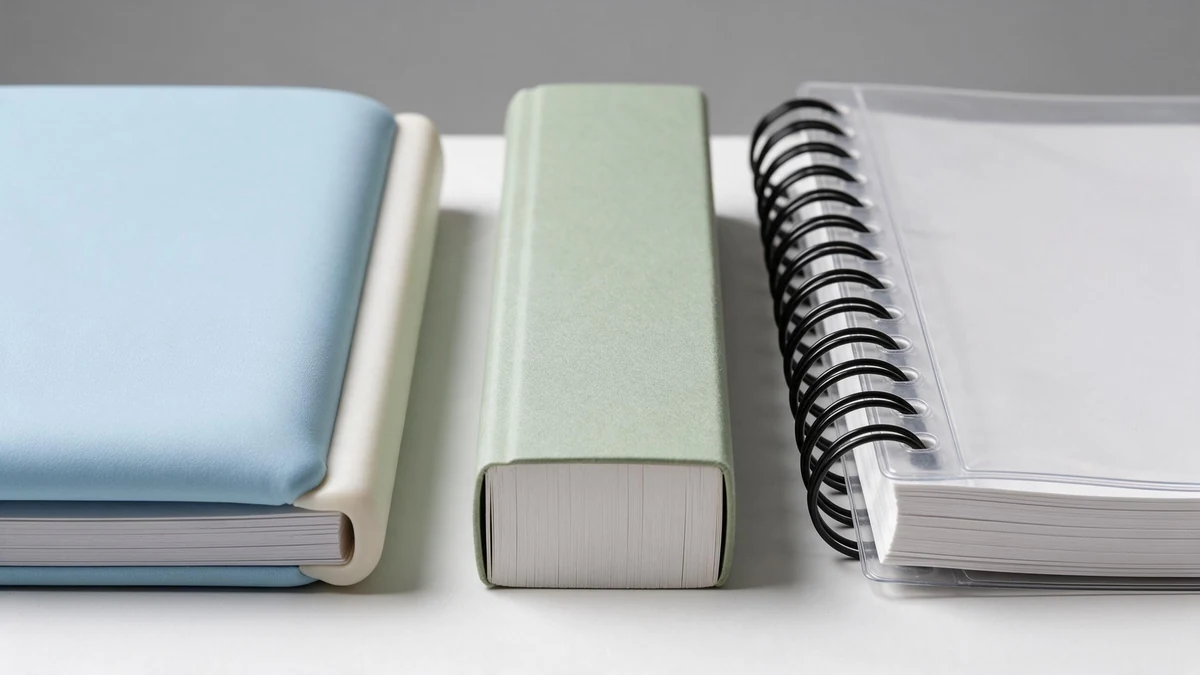
250–300 gsm for hand-held books, 170–250 gsm for mailers — padded binding gives the cleanest riffle.
Paper weight drives the flip itself. Too thin and pages stick; too thick and your thumb can’t bend the stack. For a smooth riffle, most printers land between 150 gsm and 250 gsm, heavy enough to snap back, light enough to flex. Glossy coated stock resists fingerprint smudging, which is why photo booth and event books use it even though it costs more than uncoated.
Spiral or padded binding — which gives the better flip?
Padded (glued-edge) binding gives the cleaner, faster riffle because every page releases from a single flexible spine. Spiral binding wins on durability and lay-flat display, but the coil adds drag that interrupts fast flipping. Choose padded for animation feel; choose spiral or easel bases for desktop presentation.
| Format | Best for | Flip quality | Base/binding |
|---|---|---|---|
| Padded flip book | Keepsakes, giveaways | Smoothest | Glued soft edge |
| Spiral bound | Reference, reuse | Moderate | Metal/plastic coil |
| Easel self-standing | Pitch decks, trade shows | Good | Rigid board stand |
Self-standing easel flip book printing needs a rigid chipboard base, usually 2,3 mm thick, so the book holds its angle without tipping. Sales teams favor this for presentations because it frees both hands. For custom runs, LeadWorks applies in-house special finishes like edge printing to make the closed page block read as one solid printed image. Prepare files as high-resolution CMYK PDFs at 300 DPI with 3 mm bleed so trimming never clips your frames.
The Most Common Flip Book Printing Mistakes and How to Avoid Them
The four flip book printing mistakes that wreck the most jobs are wrong bleed, too few pages, stock too stiff to flip, and no turnaround buffer. Each has a cheap fix at the file stage and an expensive fix after the press runs. Catch them in the proof, not the shipment.
Why does bleed matter more on a flip book than a regular booklet?
Set up a 3 mm (0.125 in) bleed on any frame that touches the edge, or your animation loses its outer border after trimming. Flip books run a full stack through a guillotine cutter at once, so a 1 mm drift crops every page the same way, one bad cut ruins the whole book, not a single page. The standard is clear: files should be a high-resolution PDF in CMYK, at least 300 DPI, with 3 mm bleed when art reaches the edge, per industry print-prep guidance. A moving subject near the frame edge is the first casualty.
How many pages do I actually need for smooth motion?
You need at least 30 pages for smooth motion; a 20-page booklet looks like a slideshow because it falls below the roughly 12 frames per second a thumb-flip delivers. Keep the subject inside a safe margin of 5,8 mm from the trim so nothing important sits where the thumb covers the page, and lock the page count before layout, not after.
Which stock is too thick to flip?
- Over-weight stock: Anything past 300 gsm resists the thumb and snaps back instead of cascading — the whole point of flip book printing fails.
- Missed turnaround buffer: Most custom jobs finish in 3–5 business days after proof approval, so add shipping on top and never promise an event date without that gap.
LeadWorks’ in-house process control means the PDF proof is the gate, approve it slowly, because every mistake above is free to fix there and costly to fix on paper.
How Long Does Flip Book Printing Take and How to Plan Your Turnaround?
Standard flip book printing takes 3,5 business days after you approve the proof, according to industry production data from 2026. That clock starts after proof sign-off, not when you place the order, so budget 2,4 extra days for file checks and a PDF proof round before production even begins. Proofing is the hidden time sink: a single revision adds a full day each time art bounces back and forth, so lock your frames and page sequence before uploading and the whole job moves faster.
Why do rush jobs and special processes change the timeline?
Rush service can compress printing to 24,48 hours, but it usually adds a 25,50% surcharge and limits your finishing options. Special processes stretch the schedule the other way. Edge printing (color or art applied to the stacked page edges) adds 1,3 days because the block must be clamped and cured separately. Lamination (a thin plastic film over the cover for durability) adds another day for coating and drying.
| Option | Added time | Why |
|---|---|---|
| Standard digital run | 3–5 business days | Baseline after proof |
| Edge printing | +1–3 days | Separate clamp and cure step |
| Lamination | +1 day | Coating and drying |
| Offset run (5,000+ units) | +5–10 days | Plate setup and larger press cycle |
How do I plan for an event or campaign deadline?
Count backward from the delivery date. For a standard order, reserve 5 business days for production, 3 for proofing, and 3,7 for shipping, which means ordering at least 3 weeks out. For high-volume offset runs with plate-based setup, push to 4,5 weeks. LeadWorks runs edge printing in-house, which cuts the hand-off delay that outsourcing adds, a real factor when your launch date can’t move.
Frequently Asked Questions About Flip Book Printing
These answers cover the five questions buyers ask most before placing a flip book printing order: how to build one from your own footage, the smallest workable page count, accepted file formats, reorder and storage options, and how to cut cost on short runs.
How do I make a flipbook from my own video or photos?
Export your footage as a numbered image sequence, then drop every 2nd or 3rd frame to land near 12 frames per second. A 5-second clip at 24 fps gives 120 frames, trim that to roughly 40,60 printed pages. A print-ready file should be a high-resolution PDF in CMYK color mode, at 300 DPI, with 3 mm (0.125 in) bleed when artwork touches the edge.
What’s the minimum page count that still animates?
Below 20 pages the flip looks jumpy and reads as a slideshow, not motion. Aim for 30 pages as a practical floor. Classroom tools like Read Write Think’s interactive cap tabbed books at ten pages, which suits static content but not smooth animation.
Can I reorder and store stock for later?
Yes. Keep your approved print-ready PDF on file so a reprint skips proofing and ships in days, not weeks. For repeat marketing drops, ask about warehousing, a vendor holds finished stock and fulfills on demand, so you print 5,000 once instead of five runs of 1,000.
How do I cut cost on a small run?
Pick a standard size, drop embossing or foil, and group multiple books on one sheet (ganging). LeadWorks’ advice for small batches: standardize trim and stock first, since in-house process control keeps per-unit cost stable even at low volume.